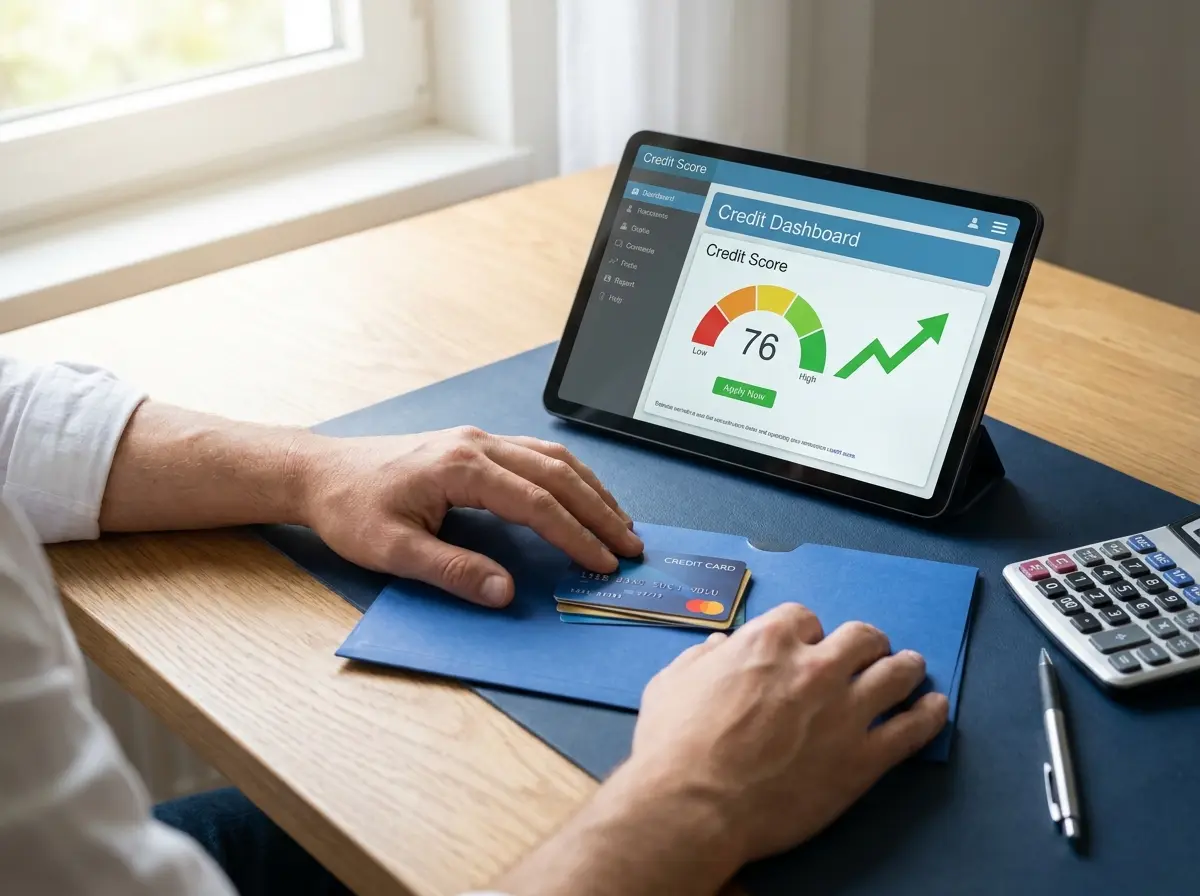

Are you tired of making multiple high-interest credit card payments to different banks every single month while watching your balances barely budge? You might be wondering what is a good interest rate for a debt consolidation loan right now to help streamline your financial obligations into one manageable monthly payment that actually reduces your principal.
Understanding the current economic landscape is crucial because the interest rate you secure will dictate your total savings over the life of the loan and determine how quickly you can achieve true financial independence. Let us examine the current market averages and help you evaluate your borrowing options more effectively today, ensuring you find the most competitive terms available for your unique financial profile and long-term wealth-building goals.

Before signing any loan agreement, you need a clear baseline of current economic and market conditions to avoid overpaying for credit in a volatile environment. As of late 2023 and early 2024, the Federal Reserve has consistently maintained relatively high benchmark rates to combat persistent inflationary pressures across the national economy. Consequently, the average interest rate for a personal loan used for debt consolidation sits between 11% and 15% for the typical American consumer with a standard credit profile.
If you possess an excellent credit history, you might successfully secure rates as low as 7% to 9%, which is considered highly competitive in today’s market. Borrowers with fair or poor credit profiles often see initial offers ranging from 18% up to 36%, depending on the lender’s specific risk tolerance and internal underwriting criteria. Knowing exactly where you stand relative to these national averages helps you identify a genuinely competitive financial offer that aligns with your long-term debt-reduction goals.
It is important to note that these rates are not static and can fluctuate based on the “Prime Rate” set by major financial institutions nationwide. When the central bank adjusts the federal funds rate, most private lenders follow suit within a very short period, affecting everything from personal loans to mortgages. Therefore, a rate that was considered “good” six months ago may no longer be available in the current high-interest environment, making timing a critical factor. Staying informed about these shifts allows you to time your application for maximum financial benefit and ensures you don’t miss out on temporary market dips.
- National average rates for consolidation loans currently range from 11% to 15%.
- Excellent credit profiles can unlock premium interest rates below the 9% threshold.
- Federal Reserve policies directly impact the baseline rates offered by private lenders.
Key Variables: Factors That Determine Your Specific Debt Consolidation Rate

Financial institutions do not simply assign random numbers when you apply for a new debt consolidation product to manage your liabilities and improve cash flow. They carefully calculate your overall risk profile using a specific set of financial metrics and historical borrowing data to ensure repayment and mitigate potential losses. Understanding these critical variables gives you the necessary power to improve your standing before submitting a formal application to any bank or online lender.
Credit Score Tiers and History
Your official FICO credit score acts as the heaviest weighted variable in any lender’s rate calculation formula for personal loans and consolidation products. A credit score above 720 generally qualifies you for the absolute most favorable terms available on the market, often referred to as “prime” rates. If your score falls below the 630 mark, you will likely face significantly higher borrowing costs over time due to perceived risk and potential default concerns.
Beyond the three-digit number, lenders also look at your credit utilization ratio and your history of on-time payments across all active accounts. A single late payment within the last twelve months can negatively impact the interest rate offered by a potential lender, even if your score is high. Maintaining a clean credit report is the most effective way to ensure you receive a rate that makes consolidation financially viable and truly beneficial for your wallet.
Debt-to-Income Ratio Analysis
Lenders closely evaluate exactly how much of your monthly gross income already goes toward existing debt obligations like rent, mortgages, or car payments. A lower debt-to-income ratio signals that you can comfortably manage another monthly payment without experiencing significant financial strain or risking default. Most financial institutions prefer this specific ratio to remain below 36%, although some specialized lenders may accept ratios up to 50% for highly qualified applicants with significant assets.
If your ratio is currently too high, you might consider paying down smaller balances or increasing your documented income before applying for a new loan. Lenders view a high ratio as a red flag, suggesting that you may be overextended and more likely to struggle with future payments. By improving this metric through diligent budgeting, you demonstrate financial stability and increase your chances of securing a lower interest rate that saves you thousands.
Lender Comparison: Credit Unions vs. Traditional Bank Rates

Where you choose to source your consolidation loan significantly impacts the final interest rate you will ultimately receive for your debt management plan. Traditional commercial banks operate with strict profit margins and often charge substantially higher baseline interest rates to average consumers compared to smaller institutions. These massive financial institutions typically reserve their most competitive loan products exclusively for their wealthiest existing private clients with extensive assets and long histories.
Credit unions operate as non-profit financial cooperatives specifically designed to serve their dedicated local member base rather than corporate shareholders or distant investors. Because they do not answer to traditional corporate investors, they frequently offer much lower rates on personal loans and consolidation products to their members. According to national credit union data, their average personal loan rates routinely undercut the major commercial banking institutions by several percentage points, providing significant relief.
Online-only lenders represent a third distinct category that has aggressively captured significant market share in the personal finance space over the last decade. These digital platforms completely lack physical branch overhead, allowing them to pass massive operational savings directly to borrowers in the form of lower rates. You should absolutely include at least one reputable online lender in your comprehensive rate comparison shopping process to ensure you are seeing the full market range available to you.
Origination fees can effectively increase your overall borrowing costs rapidly, so always look at the Annual Percentage Rate (APR) rather than just the base interest rate when comparing offers from different lenders.
Hidden Costs: Common Fees That Inflate Your Consolidation Rate
Base interest rates only tell a small portion of the story regarding your total overall borrowing costs for a consolidation loan in the current market. Many modern lenders charge an upfront origination fee that ranges from 1% to 8% of the total loan amount for processing and underwriting. They automatically deduct this administrative fee directly from your loan proceeds before depositing the remaining funds into your personal bank account for use.
If you need exactly $10,000 to clear your debts, a standard 5% origination fee leaves you unexpectedly short by five hundred dollars at the start. You must then borrow a larger total principal amount to completely cover your outstanding high-interest credit card balances and these associated fees. This common administrative fee mathematically increases your effective annualized interest rate over the entire life of the loan, making it more expensive than it initially appears on paper.
Prepayment penalties represent another hidden financial cost that can severely damage your long-term debt elimination strategy and overall financial health if you pay early. Some banking institutions charge a massive penalty fee if you pay off your consolidation loan ahead of the agreed-upon schedule to recoup lost interest. Always verify that your written contract explicitly allows for penalty-free early repayment before signing the final legal documents to maintain your financial flexibility and freedom.
Strategic Steps: How to Secure the Lowest Possible Rate
Finding the most competitive terms requires a highly strategic approach rather than immediately accepting the first offer you receive online or in the mail. You must actively compare multiple financial institutions to leverage their competing debt products against one another effectively for your personal financial benefit. This intense competitive pressure ultimately forces lenders to present their absolute best financial terms to win your business in an increasingly crowded lending market.
Follow a systematic application process to protect your valuable credit score while shopping for the most favorable terms available to consumers today. Rushing into a formal application without proper preparation often results in higher rates and unnecessary hard credit inquiries that lower your score temporarily. These simple comparative steps will help you secure the lowest possible borrowing costs for your specific financial situation and long-term wealth-building goals.
How to Get Started with Your Loan Search
Check Your Credit Reports Thoroughly
Review your files for any errors that might drag down your score artificially before you apply for a new loan product.
Compare Multiple Lenders Side-by-Side
Request quotes from at least three different types of lenders, including credit unions and online platforms, to see a full range of offers.
Get Pre-qualified Without Risk
Use pre-qualification tools that perform a “soft” credit pull, which does not impact your credit score, to see your potential rates instantly.
Loan Structures: Secured vs. Unsecured Consolidation Loans
When searching for what is a good interest rate for a debt consolidation loan right now, you must decide between secured and unsecured options based on your risk tolerance. An unsecured loan, often called a personal signature loan, does not require any collateral, like your home or vehicle to guarantee the debt to the lender. Because the lender takes on more risk with an unsecured product, the interest rates are typically higher than those of secured loans for the same borrower.
Secured consolidation loans require you to pledge an asset, such as a house (HELOC) or a savings account, as security for the lender in case of default. These loans often offer significantly lower interest rates because the lender has a guaranteed way to recoup their money if you cannot meet the repayment terms. However, you must weigh the benefit of a lower rate against the very real risk of losing your property if your financial situation changes unexpectedly.
For many borrowers, the peace of mind provided by an unsecured loan outweighs the slightly higher interest rate associated with it in the long run. If you have a strong credit profile, the difference in rates between secured and unsecured options may be minimal enough to justify the unsecured route for safety. Always consult with a qualified financial advisor to determine which structure provides the best balance of safety and affordability for your family’s unique needs.
Financial Analysis: Calculating the True Cost of Your Loan
To determine if a consolidation loan is truly beneficial for your situation, you must look beyond the monthly payment and calculate the total interest paid over time. A lower monthly payment might seem attractive on the surface, but if the loan term is extended from three years to seven years, you could pay more. Use a debt consolidation calculator to compare your current interest costs against the projected costs of the new loan product before making any final decisions.
The Consumer Financial Protection Bureau recommends reviewing the Truth in Lending Act (TILA) disclosure provided by your lender before signing any binding agreement. This document clearly outlines the total finance charge, the amount financed, and the total of all payments you will make over the life of the loan. Comparing these figures across different offers ensures that you are making a data-driven decision rather than an emotional one based on monthly cash flow alone.
Additionally, consider the impact of “interest front-loading,” where a larger portion of your early payments goes toward interest rather than the principal balance of the loan. If you plan to pay off the loan early, ensure there are no penalties that would negate the savings you hoped to achieve through consolidation. A truly “good” rate results in less total money leaving your pocket by the time the final payment is made and the debt is gone.
Economic Outlook: Is Now the Right Time to Consolidate?
Timing the market is notoriously difficult, even for experts, but understanding broader economic trends can help you decide whether to act now or wait. If experts predict the Federal Reserve will continue raising rates, securing a fixed-rate consolidation loan today could protect you from future increases in borrowing costs. Conversely, if rates are expected to fall, you might consider a shorter-term loan or waiting a few months for better terms to emerge in the market.
However, waiting for the “perfect” rate can sometimes cost you more in the long run if you are currently paying 24% or higher on credit cards. Even a consolidation loan at 14% represents a massive immediate saving that can help you pay down the principal balance much faster than before. The Federal Trade Commission notes that the best time to consolidate is often as soon as you have a clear plan to stop accruing new debt.
Ultimately, the best interest rate is the one that allows you to break the cycle of high-interest debt and move toward long-term financial freedom. If you can secure a rate that is at least 5% to 10% lower than your current weighted average, the benefits of consolidation usually outweigh the costs. Focus on your personal financial health and your ability to make consistent payments rather than trying to time the absolute bottom of the interest rate market.
Conclusion
Determining what a good interest rate for a debt consolidation loan right now requires a careful analysis of both market trends and your personal credit profile. While the national average sits between 11% and 15%, your specific offer will depend on your credit score, income, and the type of lender you choose. By shopping around and comparing APRs rather than just base rates, you can find a solution that significantly reduces your monthly financial burden and stress.
Remember that debt consolidation is a powerful tool to help you manage your finances, but it is not a magic fix for underlying spending habits. To make the most of a lower interest rate, you must commit to a strict budget and avoid running up new balances on the credit cards you just cleared. With a strategic approach and a competitive rate, you can take control of your debt and build a more secure financial future for yourself and your family.